Youtuberii mari si alti review-eri mari au primit in sfarsit placile Nvidia RTX 2080 – defapt toata seria RTX 2000 si au avut voie sa le faca un unboxing.
Daca sunteti curiosi, mai jos sunt niste poze de la Techpowerup din unboxing-ul lor. RTX 2080 arata bine de tot, mai ales Founder’s Edition.
Cutia si modul de ambalare Nvidia RTX 2080:
Si placa in sine:
Dupa cum stiam, placile nu mai au porturi DVI, astfel ca au inclus un adaptor Display Port -> DVI. Foarte frumos din partea lor.
Backplate-ul pare sa fie mult mai gros versus seria GTX 1000 si portul urias de SLi este acoperit foarte frumos ?
Dupa cum putem vedea si in poze, placa vine cu 2 alimentari PCI-E: 1 x 8PIN si 1x 6PIN.
Daca vreti sa vedeti unboxing-uri de la diversi producatori cum ar fi EVGA si ZOTAC, JayzTwoCents a primit si facut in video-ul de mai jos prezentarea:



Youtuberii mari si alti review-eri mari au primit in sfarsit placile Nvidia RTX 2080 – defapt toata seria RTX 2000 si au avut voie sa le faca un unboxing.
Daca sunteti curiosi, mai jos sunt niste poze de la Techpowerup din unboxing-ul lor. RTX 2080 arata bine de tot, mai ales Founder’s Edition.
Cutia si modul de ambalare Nvidia RTX 2080:

Si placa in sine:
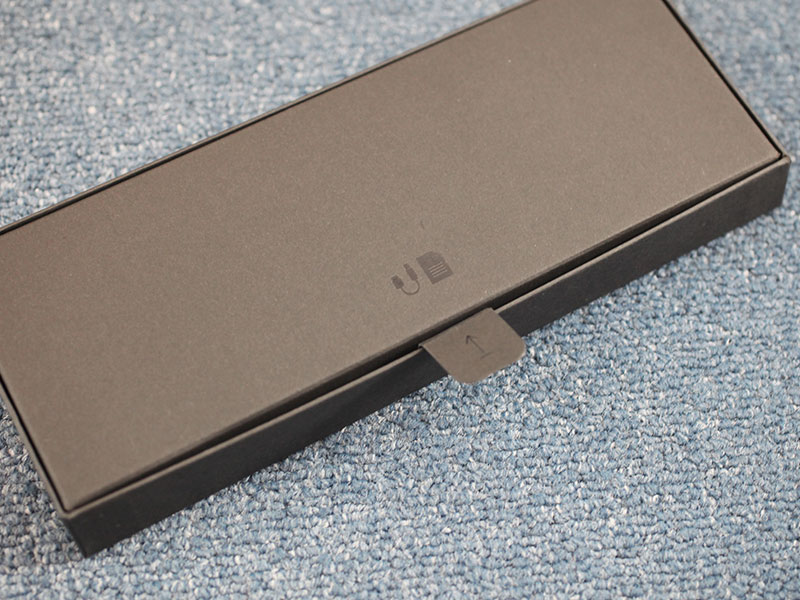
Dupa cum stiam, placile nu mai au porturi DVI, astfel ca au inclus un adaptor Display Port -> DVI. Foarte frumos din partea lor.
Backplate-ul pare sa fie mult mai gros versus seria GTX 1000 si portul urias de SLi este acoperit foarte frumos ?
Dupa cum putem vedea si in poze, placa vine cu 2 alimentari PCI-E: 1 x 8PIN si 1x 6PIN.
Daca vreti sa vedeti unboxing-uri de la diversi producatori cum ar fi EVGA si ZOTAC, JayzTwoCents a primit si facut in video-ul de mai jos prezentarea: