

Daemon
Administrator
-
Joined
-
Last visited
Everything posted by Daemon
-
Acesta este doar demo, in curand o sa fie afisati toti jucatorii in acest top, fiecare avand profilul lui si pe ce servere a jucat.
-
Noua structura care găzduiește numele + alte informații de securitate pentru jucători a ajuns de la 100gb = 6 mil jucători la 200mb = 2.5 mil jucători Aceasta optimizare va fi marcata ca fiind finala.
-
Lucrez la noua structura pentru baza de date ce deja a atins 100gb in dimensiune, cu noul update va fi redusa dimensiunea substantial mentinand toate graficele actuale de pe site. Revin cu alt post, dupa ce este aplicat update-ul.
-
Hi i did not test it on pterodactyl, i do not have that panel installed to create also an egg for it. It works only on Pelican Panel.
-
-
[RO] A fost adăugată partea de statistici pentru fiecare jucător în parte și pentru fiecare server în parte. Găsiți scorul în ultima oră, zi, precum și timpul jucat în ultima zi, săptămână, lună, an (calculat pe ore, zile, etc.). [EN] The statistics section has been added for each individual player and each server. You can find the score for the last hour, day, as well as the playtime in the last day, week, month, year (calculated by hours, days, etc.).
-
[RO] Am adauga lista cu ban-uri de pe server si unban in categoria Administrație - OldStyle Gaming Community [EN] We have added the list of bans and unbans from the server in the category Administrație - OldStyle Gaming Community
-
Am inceput sa lucrez la server-ul de bio la baza fiind addons-ul lui @ Aliace cel original din 2016. Va asteptam pe server BIO.OLDS.RO
-
phpGameTracker Script The script is using an API KEY from https://gamequery.dev/ so you need to register and create an API KEY. An old script that i did buy from internet then the owner never offered support and deleted it from the market i have used it to create websites like gametracker in the past, still working with some work and money you can make something nice from it. I do not offer free support, you have everything in the archive... Tutorial (you also have an documentation folder inside the archive) Select PHP 7.1.3 on your vps/host. Upload the archive extract it, create this file .env and edit it with your details ###> symfony/framework-bundle ### APP_ENV=prod APP_SECRET=956e5d6574c516f7c779fc26cddb3996 ###< symfony/framework-bundle ### ###> doctrine/doctrine-bundle ### DATABASE_URL=mysql://gamefire:[email protected]:3306/gamefire ###< doctrine/doctrine-bundle ### ###> google/recaptcha ### GOOGLE_RECAPTCHA_SITE_KEY=null GOOGLE_RECAPTCHA_SECRET=null GOOGLE_ANALYTICS_CODE=UA-132675860-7 ###< google/recaptcha ### ###> symfony/mailer ### MAILER_DSN=sendgrid://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@GAMESERVERSTRACKER ###< symfony/mailer ### ###> application ### GAMEFIRE_PAYPAL_ENABLED=true GAMEFIRE_PAYPAL_SANDBOX=false GAMEFIRE_PAYPAL_EMAIL=gameserverstracker_api1.gmail.com GAMEFIRE_PAYPAL_PASSWORD=RGFEDNM2VPDKUC47 GAMEFIRE_PAYPAL_SIGNATURE=AJBjrAOFeBi.IDmiOFQfhCvLWSn0ASCUlcBg3R1Db37KFD7p4Y-ZD.Hq GAMEFIRE_GOOGLE_VERIFICATION_CODE=null GAMEFIRE_GOOGLE_ANALYTICS=true GAMEFIRE_GOOGLE_RECAPTCHA=false GAMEFIRE_COOKIE_CONSENT=ture ###< application ### Run the commands inside your directory where the .env file is located php bin/console fos:js-routing:dump --format=json --target=public/js/fos_js_routes.json php bin/console bazinga:js-translation:dump public/js/ --format=json export NODE_OPTIONS=--openssl-legacy-provider yarn build php bin/console cache:clear --env=dev php bin/console cache:clear --env=prod Crontab (edit the path /home/bogdan/web/laravel.pbcv.dev/public_html with your own) # GAMEFIRE TEST SCRIPT 0 12 15 * * cd /home/bogdan/web/laravel.pbcv.dev/public_html && php bin/console banner:delete-vip 0 */6 * * * cd /home/bogdan/web/laravel.pbcv.dev/public_html && php bin/console server:delete-history 0 * * * * cd /home/bogdan/web/laravel.pbcv.dev/public_html && php bin/console server:update-history 30 * * * * cd /home/bogdan/web/laravel.pbcv.dev/public_html && php bin/console server:update-rank */2 * * * * cd /home/bogdan/web/laravel.pbcv.dev/public_html && php bin/console server:update-servers 15 * * * * cd /home/bogdan/web/laravel.pbcv.dev/public_html && php bin/console server:update-average-uptime 20 * * * * cd /home/bogdan/web/laravel.pbcv.dev/public_html && php bin/console server:update-vip 0 0 * * * cd /home/bogdan/web/laravel.pbcv.dev/public_html && php bin/console user:delete-inactive-accounts 0 0 * * * cd /home/bogdan/web/laravel.pbcv.dev/public_html && php bin/console vip:delete-unprocessed-transactions 0,10,20,30,40,50 * * * * cd /home/bogdan/web/laravel.pbcv.dev/public_html && php bin/console stats:update 0 0 * * * cd /home/bogdan/web/laravel.pbcv.dev/public_html && php bin/console server:delete-inactive Demo: https://gyazo.com/e411816896509bdcd91787bbb6ce36f0 Download:
-
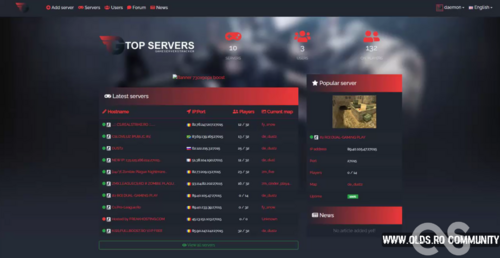 phpGameTracker Script The script is using an API KEY from https://gamequery.dev/ so you need to register and create an API KEY. An old script that i did buy from internet then the owner never offered support and deleted it from the market i have used it to create websites like gametracker in the past, still working with some work and money you can make something nice from it. I do not offer free support, you have everything in the archive... Tutorial (you also have an documentation folder inside the archive) Select PHP 7.1.3 on your vps/host. Upload the archive extract it, create this file .env and edit it with your details ###> symfony/framework-bundle ### APP_ENV=prod APP_SECRET=956e5d6574c516f7c779fc26cddb3996 ###< symfony/framework-bundle ### ###> doctrine/doctrine-bundle ### DATABASE_URL=mysql://gamefire:[email protected]:3306/gamefire ###< doctrine/doctrine-bundle ### ###> google/recaptcha ### GOOGLE_RECAPTCHA_SITE_KEY=null GOOGLE_RECAPTCHA_SECRET=null GOOGLE_ANALYTICS_CODE=UA-132675860-7 ###< google/recaptcha ### ###> symfony/mailer ### MAILER_DSN=sendgrid://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@GAMESERVERSTRACKER ###< symfony/mailer ### ###> application ### GAMEFIRE_PAYPAL_ENABLED=true GAMEFIRE_PAYPAL_SANDBOX=false GAMEFIRE_PAYPAL_EMAIL=gameserverstracker_api1.gmail.com GAMEFIRE_PAYPAL_PASSWORD=RGFEDNM2VPDKUC47 GAMEFIRE_PAYPAL_SIGNATURE=AJBjrAOFeBi.IDmiOFQfhCvLWSn0ASCUlcBg3R1Db37KFD7p4Y-ZD.Hq GAMEFIRE_GOOGLE_VERIFICATION_CODE=null GAMEFIRE_GOOGLE_ANALYTICS=true GAMEFIRE_GOOGLE_RECAPTCHA=false GAMEFIRE_COOKIE_CONSENT=ture ###< application ### Run the commands inside your directory where the .env file is located php bin/console fos:js-routing:dump --format=json --target=public/js/fos_js_routes.json php bin/console bazinga:js-translation:dump public/js/ --format=json export NODE_OPTIONS=--openssl-legacy-provider yarn build php bin/console cache:clear --env=dev php bin/console cache:clear --env=prod Crontab (edit the path /home/bogdan/web/laravel.pbcv.dev/public_html with your own) # GAMEFIRE TEST SCRIPT 0 12 15 * * cd /home/bogdan/web/laravel.pbcv.dev/public_html && php bin/console banner:delete-vip 0 */6 * * * cd /home/bogdan/web/laravel.pbcv.dev/public_html && php bin/console server:delete-history 0 * * * * cd /home/bogdan/web/laravel.pbcv.dev/public_html && php bin/console server:update-history 30 * * * * cd /home/bogdan/web/laravel.pbcv.dev/public_html && php bin/console server:update-rank */2 * * * * cd /home/bogdan/web/laravel.pbcv.dev/public_html && php bin/console server:update-servers 15 * * * * cd /home/bogdan/web/laravel.pbcv.dev/public_html && php bin/console server:update-average-uptime 20 * * * * cd /home/bogdan/web/laravel.pbcv.dev/public_html && php bin/console server:update-vip 0 0 * * * cd /home/bogdan/web/laravel.pbcv.dev/public_html && php bin/console user:delete-inactive-accounts 0 0 * * * cd /home/bogdan/web/laravel.pbcv.dev/public_html && php bin/console vip:delete-unprocessed-transactions 0,10,20,30,40,50 * * * * cd /home/bogdan/web/laravel.pbcv.dev/public_html && php bin/console stats:update 0 0 * * * cd /home/bogdan/web/laravel.pbcv.dev/public_html && php bin/console server:delete-inactive Recent Demo of it working, https://gyazo.com/e411816896509bdcd91787bbb6ce36f0 I do not offer free support, you have everything in the archive...
-
- gametracker
- phpgametracker
- php
- script
-
Tagged with:
-
View File phpGameTracker - PHP Game Servers List, Tracker, Banners, Players Tracker Time, Forum, ecc. phpGameTracker Script The script is using an API KEY from https://gamequery.dev/ so you need to register and create an API KEY. An old script that i did buy from internet then the owner never offered support and deleted it from the market i have used it to create websites like gametracker in the past, still working with some work and money you can make something nice from it. Recent Demo of it working, https://gyazo.com/e411816896509bdcd91787bbb6ce36f0 I do not offer free support, you have everything in the archive... Submitter Daemon Submitted 10/25/24 Category Resources
-
Report System We have done the first version of the report system for the servers that are breaking the rules, now you can report any server and get in touch with one of our moderators directly on the boost website. The button can be found on any dedicated server page top left marked with an warning triangle. For any report that is marked as true after the server is penalized you will receive 1k (1.000) BP equal to 1 EURO that you can use on the website only. Your reports can be found on the page Reports Thanks, bye.
-
A fost terminat primul exemplu de banner de dimensiune mica, acesta este foarte customizabil pe website aveti exemplul basic. Demo: Sau direct pe website: counter-strike-boost.com/banners/173.212.251.45:27015
-
Lansează fără efort serverul tău Counter-Strike 1.6 cu ajutorul egg-ului nostru meticulos creat, special conceput pentru o integrare perfectă cu Pterodactyl și Pelican. Acest egg preconfigurat asigură pornirea serverului tău într-un timp scurt, oferind un proces de configurare lin și de încredere. Ideal pentru cei care caută o implementare fără bătăi de cap, fără a fi nevoie de configurare manuală. Apasă CTRL + S pentru a salva fișierul: raw.githubusercontent.com/oldstyle-community/cstrike_default/main/egg-c-s1-6-b-y-o-l-d-s--r-o.json
-
Effortlessly launch your Counter-Strike 1.6 server with our meticulously crafted egg, specifically designed for seamless integration with Pterodactyl and Pelican. This pre-configured egg ensures that your server is up and running in no time, offering a smooth and reliable setup process. Perfect for those seeking a hassle-free deployment without the need for manual configuration. Press CTRL + S to save the file: raw.githubusercontent.com/oldstyle-community/cstrike_default/main/egg-c-s1-6-b-y-o-l-d-s--r-o.json
-
Pornește serverul tău Counter-Strike 1.6 rapid și fără efort cu acest pachet preconfigurat. Configurația serverului este complet compatibilă cu Pterodactyl și Pelican, asigurând o integrare perfectă în infrastructura ta existentă. Ideal pentru cei care doresc o implementare rapidă și fiabilă a serverului, fără complicațiile configurărilor manuale. Link către github: https://github.com/oldstyle-community/cstrike_default Arhivă download direct link: https://github.com/oldstyle-community/cstrike_default/releases/latest Taguri: Counter-Strike 1.6, CS 1.6, Server, Gata de Lansare, Preconfigurat, Configurație Curată, Pterodactyl, Pelican, Instalare Server, Tutorial, Configurații, Arhivă, Installer.
-
- counter-strike 1.6 cs 1.6
- server
- gata de lansare
- preconfigurat
-
Tagged with:
- counter-strike 1.6 cs 1.6
- server
- gata de lansare
- preconfigurat
- configurație curată
- pterodactyl
- pelican
- instalare server
- tutorial
- configurații
- arhivă
- installer
- server
- gata facut
- arhiva
- zip
- rar
- start
- comenzi
- config
- clean
- clasic
- default
- curat
- steam
- non-steam
- pelican
- pterodactyl
- servers
- servere
- lista
- download
- free
-
Get your Counter-Strike 1.6 server up and running effortlessly with this pre-configured package. This server setup is fully compatible with both Pterodactyl and Pelican, ensuring seamless integration into your existing infrastructure. Ideal for those who want a quick and reliable server deployment without the hassle of manual configuration. Link to github: https://github.com/oldstyle-community/cstrike_default Archive download direct link: https://github.com/oldstyle-community/cstrike_default/releases/latest Tags: Counter-Strike 1.6, CS 1.6, Server, Ready to Launch, Pre-configured, Clean Setup, Pterodactyl, Pelican, Server Installation, Tutorial, Configurations, Archive, Installer.
-
RO: Am adăugat și opțiunea prin care puteți crea installer-ul pentru panourile Pelican și Pterodactyl, copiați comanda sh și înlocuiți codul aflat în Install Script la egg-ul respectiv. De asemenea, puteți descărca egg-ul și de mai jos. Apăsați CTRL + S pentru salvarea fișierului: raw.githubusercontent.com/oldstyle-community/cstrike_default/main/egg-c-s1-6-b-y-o-l-d-s--r-o.json Installer-ul îl găsiți și pe site-ul: Download Archive Picker (olds.ro) Unde puteți edita versiunile și puneți ce doriți, cât și ordinea lor de instalare prin drag and drop. Spor la creat servere de Counter-Strike 1.6 EN: I have also added the option to create the installer for the Pelican and Pterodactyl panels. Copy the sh command and replace the code in the Install Script for the respective egg. You can also download the egg from below. Press CTRL + S to save the file: raw.githubusercontent.com/oldstyle-community/cstrike_default/main/egg-c-s1-6-b-y-o-l-d-s--r-o.json You can also find the installer on the website: Download Archive Picker (olds.ro) Where you can edit the versions, choose what you want, as well as the installation order via drag and drop. https://i.gyazo.com/248b0c44cd87818eab404cb9b514292b.mp4 Happy creating Counter-Strike 1.6 servers!
-
Acesta este un Detector VPN beta proiectat pentru Counter-Strike: 1.6. Este utilizat pentru a identifica jucătorii care au fost interziși și încearcă să se alăture din nou serverului folosind cheats sau hacks. Deoarece Counter-Strike: 1.6 nu permite accesul la specificațiile PC-ului jucătorilor, cum ar fi HWID-ul, interdicțiile permanente nu pot fi aplicate. Ca urmare, jucătorii pot fi interziși doar pe baza adresei IP sau a ID-ului Steam, ambele putând fi schimbate. Descărcare:
-
This is a beta VPN Detector designed for Counter-Strike: 1.6. It is used to identify players who have been banned and attempt to rejoin the server using cheats or hacks. Since Counter-Strike: 1.6 does not allow access to players' PC specifications, such as the HWID, permanent bans cannot be enforced. As a result, players can only be banned by their IP address or Steam ID, both of which can be changed. Download
-
-
View File Counter-Strike: 1.6 VPN Detector AMXMODX This is a beta version of a VPN Detector specifically developed for Counter-Strike: 1.6. The primary purpose of this tool is to detect and prevent banned players from rejoining the server using cheats or hacks. Counter-Strike: 1.6 has limited capabilities in terms of identifying unique hardware details of a player's computer, such as the Hardware ID (HWID). Consequently, server administrators are unable to impose permanent bans based on these hardware specifics. Due to these limitations, the traditional methods of banning players in Counter-Strike: 1.6 involve using their IP address or Steam ID. However, both of these identifiers can be easily altered by the player. A player can use a VPN to change their IP address or create a new Steam account to obtain a different Steam ID, allowing them to circumvent bans and continue engaging in unfair gameplay. The VPN Detector aims to mitigate this issue by identifying the use of VPNs and other methods that players might use to mask their real IP addresses. By detecting these attempts, server administrators can take proactive measures to maintain a fair and enjoyable gaming environment. The tool works by analyzing connection patterns, detecting anomalies associated with VPN usage, and alerting administrators of potential infractions. While this VPN Detector is still in its beta phase, it represents a significant step towards enhancing the security and integrity of Counter-Strike: 1.6 servers. Future versions may include more advanced detection methods and additional features to further improve its effectiveness in identifying and banning players who violate server rules. Submitter Daemon Submitted 06/11/24 Category Security
-
Am inceput sa lucram la o platform de boost destul de complexa cred eu dar sper sa ajute ce a mai ramas din comunitatea de Counter-Strike 1.6 Am terminat de creat: MasterServer-ul, kit-ul principal cu tot ce trebuie la el (protectie, updater, un mini anticheat) din care o sa se creeze mai multe CS-uri/kit-uri In acest moment se lucreaza la website si systemele necesare ca acesta sa poata fii folosit si ca un GameTracker normal pentru serverele care nu vor sa cumpere boost dar pot ajunge in top prin voturi. Sunt multe de facut o sa revin cu noi topicuri pe parcurs ce facem update.
-
-
I have added SVG images flags in the response. Example: { "country_gps": [ "41.87194", "12.56738" ], "country_name": "Italy", "country_iso_code": "IT", "country_flag_svg": "https://geoip.pbcv.dev/flags/it.svg" } The image of the flag is this one https://geoip.pbcv.dev/flags/it.svg